
In This Article
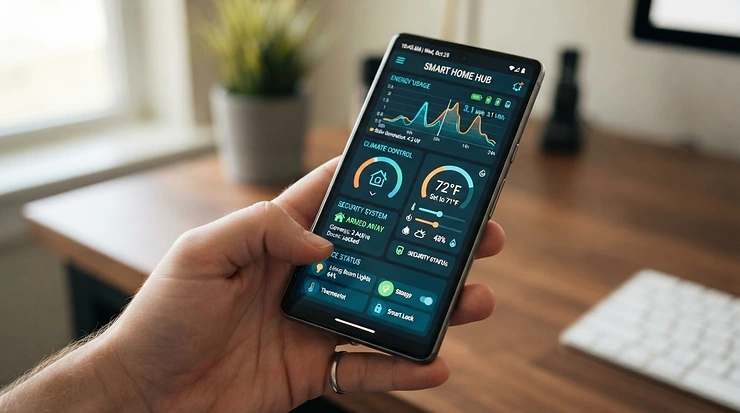
Somewhere around 3 a.m., your tent’s humidity creeps past the line you set, and you are asleep, blissfully unaware that anything is wrong. That single moment is exactly why the AC Infinity Cloudline 4 inch controller app exists — and why so many growers upgrade to one after their first close call with a soggy, moldy canopy. In plain terms, the AC Infinity Cloudline 4 inch controller app is the smartphone software that pairs with a UIS-compatible smart controller (Controller 67, 69, 69 Pro, or the newer AI+) to turn a basic 4-inch Cloudline duct fan into a self-adjusting climate system you can monitor and schedule from your phone.
That sounds simple enough on paper, but the reality is messier — and more interesting. Every Cloudline fan on this list relies on an EC motor driven by pulse-width modulation, the same switching technique used across countless quiet, energy-efficient motors, which is exactly why these fans can idle at a whisper instead of the harsh hum of a cheaper AC-motor fan. Some controllers connect over Bluetooth only, which means your automation stops working the second your phone leaves the house. Others use 2.4GHz WiFi and can trip up entirely different problems, like dual-band routers refusing to cooperate. And once you widen the lens past AC Infinity’s own lineup, you’ll find VIVOSUN, Mars Hydro, and Spider Farmer all making their own case for your ventilation budget.
This guide walks through seven real, currently available smart-controller-and-fan combinations built around 4-inch inline ducting, breaks down what each one’s spec sheet actually means for your grow, and digs into genuine user-reported experiences with app scheduling and firmware updates — the parts nobody puts in the marketing copy. Whether you’re setting up your first tent or replacing a controller that just won’t sync anymore, you’ll walk away knowing exactly which smart controller for Cloudline fan setups fits your space, budget, and patience level.
Quick Comparison Table
| Pick | Controller Type | Connectivity | Best For |
|---|---|---|---|
| Cloudline T4 (Controller 69 Pro) | VPD smart controller | Bluetooth + WiFi | All-around automation |
| Cloudline T4 (Controller AI+) | Self-learning AI controller | Bluetooth + WiFi | Hands-off, premium growers |
| Cloudline T4 (Controller 67) | Basic smart controller | Bluetooth only | Budget-conscious upgraders |
| Cloudline A4 | Wired 10-speed dial | None (manual) | No-app simplicity |
| VIVOSUN AeroZesh T4 (E42A) | VPD WiFi controller | WiFi | Cross-device VIVOSUN setups |
| Mars Hydro iFresh 4″ (iControl) | Basic app controller | WiFi | Tightest budgets wanting an app |
| Spider Farmer 4″ (GGS Controller) | Multi-device WiFi controller | WiFi | Mixing fans, lights, clip fans |
Looking at the table, the split really comes down to how much you’re willing to depend on a phone. The Cloudline T4 (Controller 69 Pro) and VIVOSUN AeroZesh T4 (E42A) both trigger off vapor-pressure deficit rather than just temperature and humidity separately, which matters more than it sounds like once you’re chasing consistent yields. Meanwhile, the Cloudline A4 sits at the other extreme — no app, no WiFi headaches, just a dial — and that’s a legitimate choice, not a compromise, for anyone who has been burned by a smart-home device that stopped working after an update.
💬 Just one click — help others make better buying decisions too!😊
Top 7 AC Infinity Cloudline 4 Inch Controller App Systems: Expert Analysis
1. Cloudline T4 (Controller 69 Pro) — most complete WiFi automation for serious growers
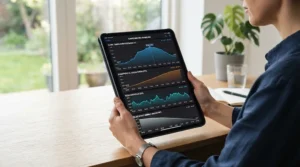
The Cloudline T4 (Controller 69 Pro) is the combination most people picture when they search for the AC Infinity Cloudline 4 inch controller app in the first place, and for good reason. This pairing puts a 205 CFM inline duct fan with a PWM-controlled EC motor behind AC Infinity’s most capable non-AI controller. The 69 Pro connects over Bluetooth or 2.4GHz WiFi, manages up to four UIS devices with independent programming, and — critically — adds true vapor-pressure deficit triggers on top of the usual temperature and humidity settings.
In practice, that means the fan responds to how “thirsty” your air actually is, not just two disconnected numbers, which is a meaningfully smarter way to hold a canopy steady through lights-on and lights-off swings. Beginners can lean on basic on/off triggers while more advanced growers unlock dynamic speed transitions and minimum baseline speeds that only ramp up when triggered.
Aggregated app-store feedback is a mixed bag worth taking seriously: several long-term users describe genuinely improving their yields by “environmentally steering” crops through the VPD programs, while others report that a firmware update (users cite versions like F4.2.16 alongside app version 1.7) briefly broke schedules or wiped historical climate data — a real, documented pain point rather than a rare fluke.
Pros:
- ✅ Controls up to four UIS devices with independent programming
- ✅ True VPD triggers, not just separate temp/humidity numbers
- ✅ WiFi lets you check and adjust the tent from anywhere with signal
Cons:
- ❌ Needs a 2.4GHz-only network; dual-band routers commonly cause pairing headaches
- ❌ Firmware updates have occasionally disrupted schedules per user reports
Expect this fan-and-controller combo to sit in the mid-$100s range at the time of research; check current price before buying, since bundle pricing shifts often. For anyone who already owns other UIS-compatible gear, this is the pick that ties the whole tent together.
2. Cloudline T4 (Controller AI+) — closest thing to a self-driving grow tent
If the 69 Pro is AC Infinity’s smart option, the Cloudline T4 (Controller AI+) is its attempt at a genuinely intelligent one. Rather than only reacting to triggers you set manually, the AI+ controller analyzes ongoing climate data and surfaces adjustment recommendations, aiming to reduce the constant fine-tuning that VPD-chasing growers usually do by hand. Paired with the same 205 CFM Cloudline T4 fan and PWM-controlled EC motor, it still delivers the mixed-flow airflow and near-silent low-speed operation the Cloudline line is known for, but the controller itself is the upgrade here, not the fan.
Based on the spec comparison with the 69 Pro, the AI+ adds oscillation-range control for compatible circulation fans and app-driven “steering” suggestions that go further than static triggers — genuinely useful for growers chasing consistency across a full flowering cycle rather than checking in once a week.
One frequently repeated caveat from aggregated user feedback: getting the full benefit reportedly requires two sensors rather than one, so budget for that add-on if precision monitoring matters to you. Reviewers who’ve made that investment describe it as a true “set it and forget it” system, though the learning curve to actually use the recommendations well is real.
Pros:
- ✅ Self-learning automation reduces constant manual dial-in
- ✅ Adds oscillation-range control not found on the 69 Pro
- ✅ Positioned as AC Infinity’s current flagship, with the longest feature runway ahead
Cons:
- ❌ Reportedly needs two sensors to unlock full automation, an extra cost
- ❌ Premium pricing puts it out of reach for casual, single-tent growers
Given the added sensor requirement and flagship positioning, expect pricing above standard 69 Pro bundles — call it a premium-tier purchase, and check current price at the time you’re ready to buy.
3. Cloudline T4 (Controller 67) — best budget smart pick with real programming
Not every grower needs four ports and VPD math. The Cloudline T4 (Controller 67) pairs the same reliable 205 CFM fan with AC Infinity’s entry-level smart controller, and it still does more than most people expect from a “budget” option. Controller 67 handles up to two UIS devices on shared programming, offers the same PWM 10-level speed control, and includes real temperature and humidity triggers, timers, cycles, and scheduling — all viewable and adjustable through the AC Infinity app.
The catch, and it’s an important one: Controller 67 connects over Bluetooth only, with no WiFi option. What most buyers overlook about this model is that “smart” here means smart-when-nearby; automation still runs locally on the controller even when your phone is elsewhere, but you can’t check in or make changes remotely unless you’re within Bluetooth range.
For a single grow tent in a bedroom or closet where you’re regularly within a few dozen feet, that’s rarely an issue. For a detached shed or a second property, it will be.
Pros:
- ✅ Real temp/humidity automation at a lower price than the 69 Pro
- ✅ Backlit LCD with adjustable brightness makes on-unit checks easy
- ✅ Bluetooth pairing is quick with no router configuration required
Cons:
- ❌ No WiFi — remote monitoring only works within Bluetooth range
- ❌ No VPD triggers, only separate temperature and humidity programs
Typically the most affordable way into genuine app-based automation, this bundle tends to land well under the Pro-tier options — worth checking current price if a phone-based schedule matters more to you than remote access.
4. Cloudline A4 — simplest option if you don’t want an app at all
Sometimes the right answer to “which smart controller for Cloudline fan setups should I buy” is: none of them. The Cloudline A4 delivers the same core Cloudline engineering — mixed-flow blade design, EC-powered motor, quiet 29 dBA operation, dual ball bearings rated for 67,000 hours — behind a wired 10-speed dial controller instead of an app. There’s a backup memory feature that remembers your last speed setting after a power cut, so you’re not re-dialing it in after every outage. Here’s what the spec sheet won’t tell you outright: this fan is fully forward-compatible with any Cloudline smart controller, meaning you can start manual and add a Controller 67, 69, or AI+ later without replacing the fan itself. That upgrade path is a genuinely underrated selling point for anyone unsure whether they’ll want app control down the line.
Pros:
- ✅ Dual ball bearing motor rated for 67,000 hours of runtime
- ✅ Wired 10-speed controller with backup memory needs no app at all
- ✅ Fully compatible with any Cloudline smart controller if you upgrade later
Cons:
- ❌ No remote automation, scheduling, or triggers without buying a separate controller
- ❌ No historical climate charts or CSV data logging
Expect this to be the least expensive Cloudline bundle covered here, generally in the lower price bracket for 4-inch inline fans — a smart pick for anyone testing the waters before committing to smart-controller territory.
5. VIVOSUN AeroZesh T4 (GrowHub E42A) — strongest VPD rival to the 69 Pro
VIVOSUN’s answer to AC Infinity’s premium tier is the VIVOSUN AeroZesh T4 (GrowHub E42A), a 210 CFM inline fan paired with a WiFi-enabled controller that reads temperature, humidity, and VPD through an included probe. Based on the spec comparison, this is the most direct head-to-head competitor to the Cloudline T4 (Controller 69 Pro) on this list, right down to matching most of its climate-trigger logic.
The GrowHub E42A platform is designed to “unify” multiple VIVOSUN smart devices — lights, additional fans, humidifiers — under one app and one login, which mirrors AC Infinity’s UIS ecosystem strategy. The fan itself runs a rated 39 dB, slightly louder on paper than AC Infinity’s quietest Cloudline models but still well within tent-friendly territory.
Here’s the honest caveat: VIVOSUN’s smart ecosystem is younger than AC Infinity’s, which means less accumulated real-world track record on long-term firmware stability, even though the on-paper feature set stacks up well.
Pros:
- ✅ WiFi-based VPD monitoring competitive with AC Infinity’s Pro tier
- ✅ Unifies multiple VIVOSUN smart devices under one GrowHub platform
- ✅ 210 CFM airflow output edges out the standard Cloudline T4 spec
Cons:
- ❌ Smaller device ecosystem than AC Infinity’s longer-established UIS lineup
- ❌ Newer smart-controller platform means a thinner long-term reliability history
Pricing tends to land in a similar mid-range bracket to the AC Infinity 69 Pro bundle — a genuinely worthwhile comparison shop if you’re not already invested in either brand’s ecosystem.
6. Mars Hydro iFresh 4″ (iControl) — most affordable true app control
For growers whose main goal is simply “get an app, spend less,” the Mars Hydro iFresh 4″ (iControl) is the most budget-friendly entry here that still delivers genuine remote automation. The 205 CFM fan connects to the Mars Hydro app, where a temperature and humidity sensor feeds automatic on/off and speed adjustments. A neat practical touch: the iControl controller draws its power directly through its RJ12 port rather than requiring a separate power brick, which simplifies cable management inside a cramped tent. What most buyers overlook here is that this is a more basic automation layer than the UIS or GrowHub platforms — you get reliable temperature and humidity response, but not the same depth of dynamic transitions, VPD math, or multi-device independent programming found on pricier controllers.
Pros:
- ✅ Lowest price point of any genuinely app-controlled option on this list
- ✅ iControl runs off the fan’s RJ12 port, skipping a separate power supply
- ✅ Straightforward automatic on/off and speed adjustment via the app
Cons:
- ❌ Fewer advanced programs than UIS or GrowHub-tier controllers
- ❌ Full app automation may require the separate Pro/iControl add-on kit rather than the base fan alone
At the time of research, this tends to be the least expensive smart-app option covered here — a sensible pick if your budget is the deciding factor and you can live without VPD-level precision.
7. Spider Farmer 4″ Inline Fan (GGS Controller) — best cross-compatibility with lights and clip fans
Rounding out the list is the Spider Farmer 4″ Inline Fan (GGS Controller), a 205 CFM fan built around a notably quiet 27-watt EC motor rated at just 26.8 dBA — among the quietest numbers of any option here. Its GGS Controller connects via WiFi to the Spider Farmer app and is designed to simultaneously manage fans, LED lights, and clip fans from one interface, which is a genuine advantage if you’re building out a mixed-brand or mixed-device tent rather than staying fully inside one ecosystem. The housing carries an IP42 rating, giving it a bit more resistance to dust and incidental moisture than some open-frame competitors. One practical quirk worth flagging: the GGS Controller is powered through the inline fan’s RJ12 port rather than its own outlet, so if the fan loses power, the controller does too — worth knowing before you plan your outlet setup.
Pros:
- ✅ Very quiet rated noise floor at 26.8 dBA
- ✅ IP42-rated housing holds up well in humid tent environments
- ✅ GGS Controller cross-compatible with lights and clip fans, not just fans
Cons:
- ❌ Controller draws power through the fan itself, so no independent power source
- ❌ Smaller North American install base than AC Infinity, with a thinner long-term review history
Generally priced in a similar bracket to the Mars Hydro and VIVOSUN options, this is worth shortlisting if quiet operation and cross-device control matter more to you than brand ecosystem depth.
Setting Up and Automating Your Cloudline Controller App
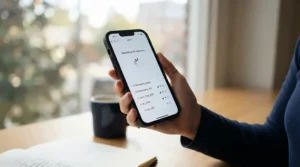
Getting from box to working automation takes about fifteen minutes if you do it in order. First, plug the temperature/humidity probe into its designated port on the back of the controller, then connect your Cloudline fan into one of the controller’s device ports — this also powers the controller itself. Download the AC Infinity app, tap the plus button on the Devices screen, and select your controller model to start pairing; Android users should expect a location-permission prompt, which is required for Bluetooth scanning to work, not a data-grab quirk.
Before you touch a single setting, check the firmware. Tap the gear icon on your controller’s control panel, then Device, then Firmware Update — doing this first avoids the mismatch issues some users report when the app updates ahead of the controller. Once paired, set a baseline: a minimum fan speed that runs constantly, with triggers only kicking speed up when temperature, humidity, or VPD crosses your threshold. This “minimum speed” habit is the single most common first-30-days mistake worth avoiding — leaving the fan on pure trigger logic with no floor speed tends to create stagnant air pockets between trigger events. Finally, build your schedule around your light cycle, not the clock: set peak ventilation to align with lights-on heat buildup, and ease off during lights-off recovery.
Real-World Scenarios: Matching a Controller to Your Grow
Picture three different growers shopping for the same fan. The first is a college student running a single 2×2 tent in a dorm closet, checking on it once or twice a day between classes — for that setup, the Cloudline T4 (Controller 67) or even the manual Cloudline A4 covers everything needed without paying for range they’ll never use, since Bluetooth-only or no-app control is a non-issue when you’re always nearby. The second is a hobbyist with a dedicated spare room running a full VPD-based flowering cycle who travels for work and needs to check in remotely — this is exactly the buyer the Cloudline T4 (Controller 69 Pro) or VIVOSUN AeroZesh T4 (GrowHub E42A) was built for, since WiFi access and true VPD triggers earn their keep across weeks of unattended operation. The third is someone running two or three tents with a mix of lights, fans, and clip fans who wants one dashboard for everything — the Spider Farmer 4″ Inline Fan (GGS Controller) or the AC Infinity UIS ecosystem via the Cloudline T4 (Controller 69 Pro) both solve that consolidation problem, just through different device platforms.
Common Cloudline Controller App Problems (and How to Fix Them)
Controller won’t pair with the app: confirm Bluetooth is enabled on your phone before starting the pairing process, and if it still fails, toggle Bluetooth off and back on before retrying — this resolves the majority of reported first-pairing failures. WiFi controller won’t connect to a home network: check whether your router broadcasts a separate 2.4GHz-only network, since AC Infinity’s WiFi controllers and several competitors’ equivalents do not support 5GHz-only or fully merged dual-band networks; creating a dedicated 2.4GHz SSID is the standard fix reported across grower forums. App shows the controller as offline after a firmware update: update the app itself first, then the controller firmware, rather than the reverse order — users who updated firmware before the app report more persistent connection failures. Fan runs full-speed with no app response: disconnect all power to the controller and fan, wait, then reconnect everything as a full reset, which several users report resolves a “stuck” state after a bad update. Losing historical climate data after an update: this has been reported as a known side effect of certain firmware revisions, so export your CSV data periodically rather than relying on the app’s history as permanent storage.
Buyer’s Decision Framework: Which Cloudline Controller Should You Buy
If you already own other AC Infinity devices, choose a UIS-compatible controller (67, 69, 69 Pro, or AI+) because shared programming across your existing gear beats juggling separate apps. If your tent lives within arm’s reach of where you spend most of your day, choose Controller 67 or a comparable Bluetooth-only option, because you’ll rarely need remote access badly enough to pay for WiFi. If you’re chasing consistent yields through a full flowering cycle and travel regularly, choose a WiFi VPD controller like the 69 Pro or AeroZesh E42A, because unattended precision is exactly what you’re paying for. If your budget is the single deciding factor, choose the Mars Hydro iControl or the manual Cloudline A4, because both deliver reliable core ventilation without premium-tier pricing. If you’re mixing brands and device types across multiple tents, choose a cross-compatible platform like the Spider Farmer GGS Controller, because consolidating your dashboard matters more than staying inside one ecosystem.
How to Choose the Right Smart Controller for Your Cloudline Fan
- Count your devices first. If you’re only running one fan, a two-port controller like Controller 67 or a single-device WiFi option is plenty; growers with lights, humidifiers, and multiple fans need four-port or cross-compatible platforms instead.
- Decide if you actually need WiFi. Bluetooth-only controllers are cheaper and simpler to pair, but only make sense if you’re regularly within range; WiFi earns its premium the moment you want to check your tent from work or vacation.
- Weigh VPD against basic triggers. Temperature and humidity triggers handle most grows fine, but VPD triggers respond to a more complete picture of plant stress — a point backed by university extension research showing VPD outperforms relative humidity as a climate metric — which matters more as your grow scales in complexity and value.
- Check your router setup before buying a WiFi controller. Confirm you can create or already have a 2.4GHz-only network, since this single detail causes more pairing complaints than any hardware defect.
- Factor in your existing ecosystem. Staying within one brand’s smart-controller platform (UIS, GrowHub, or GGS) means shared programming and one app to manage, while mixing brands means juggling multiple logins.
- Budget for the full kit, not just the fan. Sensors, adapters, and Pro-tier add-ons (as seen with Mars Hydro’s iControl upgrade path) can meaningfully change the total price versus the base fan-only listing.
- Read firmware update history before committing. A controller with a documented pattern of update-related hiccups isn’t necessarily a dealbreaker, but it should inform how quickly you install “mandatory” updates versus waiting for community feedback first.
UIS Smart Controllers vs Basic Speed Controllers vs Third-Party Apps
The core tension here isn’t really about brand — it’s about how much control you’re willing to hand off to software. A basic wired speed controller, like the one bundled with the Cloudline A4, never needs a firmware update, never loses WiFi, and never gets bricked by a bad app release; its ceiling is simply that it can’t respond to changing conditions while you’re not there to turn the dial yourself. UIS smart controllers, third-party equivalents like VIVOSUN’s GrowHub, and Spider Farmer’s GGS Controller all trade that simplicity for responsiveness: they read your environment continuously and adjust without you lifting a finger, at the cost of occasional connectivity friction and the maintenance overhead of keeping firmware current.
The middle ground worth calling out is Bluetooth-only controllers like Controller 67. They split the difference by delivering genuine automated triggers without requiring a home network at all, which sidesteps the single most common complaint across every WiFi-based option on this list — router compatibility. If you’ve been burned by a smart-home gadget losing connection at the worst possible moment, a Bluetooth-only or fully manual controller isn’t a downgrade; it’s a deliberate trade of convenience for reliability.
Cloudline App Scheduling: What to Expect in Real-World Use
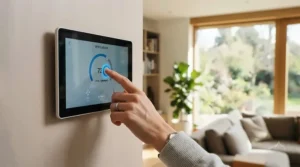
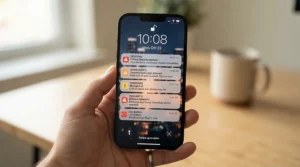
On paper, app-based scheduling sounds foolproof: set a timer, set a cycle, set a trigger, walk away. In practice, expect a short adjustment period. Your first week of scheduling will likely involve overshooting — running the fan too aggressively on trigger and then dialing back the minimum baseline speed once you see how quickly your tent actually recovers between light cycles. Push notifications are genuinely useful here, alerting you when temperature or humidity crosses a threshold rather than requiring you to babysit the app, and most users report these firing reliably day to day. Where real-world experience diverges from the spec sheet is around updates: aggregated app-store feedback consistently flags that scheduling behavior can shift unexpectedly right after a firmware or app update, occasionally requiring you to re-check and re-save schedules that were previously working fine. The practical takeaway: build in a five-minute check after any update notification, rather than assuming your existing schedule survived untouched.
Controller Firmware Updates: Why They Matter and How to Handle Them Safely
Firmware updates on connected ventilation controllers aren’t just cosmetic — they patch the actual logic running your triggers, schedules, and sensor readings, and increasingly they matter for basic device security too, following the same principles NIST outlines for secure IoT firmware update practices. That said, aggregated user reports across app-store reviews and grower forums make one thing clear: updates on smart grow controllers don’t always go smoothly. Common reported issues include controllers temporarily losing WiFi connection immediately after an update, schedules reverting to default settings, and in some cases a fan running at full speed with no app control until a full power cycle resets the unit.
The safest approach growers describe is sequencing: update the app first, confirm it opens and connects normally, and only then push the firmware update to the controller itself — several users specifically note that updating firmware before the app led to more persistent lockouts. It’s also worth checking grower community threads briefly before installing a “mandatory” update on an actively running grow, since early adopters often flag update-specific bugs within the first day or two. None of this means you should skip updates entirely; outdated firmware carries its own risks, including missed bug fixes and security patches. It simply means treating a controller update with the same caution you’d apply to any other connected home device, not blind trust that “update available” always means “safe to install right now.”
✨ Don’t Miss These Exclusive Deals!
🔍 Take your grow tent ventilation to the next level with these carefully selected smart controllers. Click on any highlighted product to check current pricing and availability. These tools help you build a genuinely automated, healthier growing environment your plants — and your sleep schedule — will thank you for!
Cloudline Controllers for Different Growers: Beginners, Pros, and Small-Space Growers
Beginners tend to overbuy. If this is your first tent, resist the pull toward the AI+ controller and start with either Controller 67 or the manual Cloudline A4 — you’ll learn what your environment actually needs before paying for four-device independent programming you may never use. Experienced growers chasing repeatable results across multiple harvests benefit most from VPD-capable options like the Cloudline T4 (Controller 69 Pro), since the marginal gain from precise vapor-pressure targeting compounds over successive grow cycles in a way beginners won’t yet notice or need. Small-space growers — closets, dorm rooms, cabinets — should prioritize noise and Bluetooth-range practicality over remote WiFi access, making Controller 67 or the quieter Spider Farmer GGS option genuinely better fits than their WiFi-heavy counterparts, simply because the phone checking in is almost always going to be in the next room anyway.
Long-Term Cost, Maintenance & ROI
The sticker price is only part of the real cost here. A wired Cloudline A4 costs less upfront but asks for more of your time and attention week over week, since every speed adjustment happens by hand — that’s a real, if unpriced, ongoing cost for anyone running multiple tents or a busy schedule. Smart controllers shift that cost the other direction: a slightly higher upfront price buys back hours of manual monitoring, and features like historical climate charts and CSV export let you actually spot slow environmental drift before it becomes a problem, rather than after. Maintenance-wise, EC-motor Cloudline fans and their direct competitors are designed with detachable motor housings for periodic blade cleaning, which matters more than most buyers expect — a dust-caked impeller quietly tanks both airflow and noise performance over months of continuous use. Factor in that any UIS-compatible fan, including the budget Cloudline A4, can be paired with a smart controller later; that upgrade path effectively protects your initial fan purchase from becoming a sunk cost if your automation needs grow.
Features That Actually Matter (and Which Ones Don’t)
VPD triggers matter more than marketing usually credits them for — once you’ve dialed in a target range, the difference between trigger-based and VPD-based automation shows up in canopy consistency, not just app screenshots. Firmware update transparency matters too, though it rarely gets mentioned in product descriptions; controllers with a visible, dated update history (checkable in-app under Device settings) give you a better sense of how actively a platform is maintained. What matters less than you’d think: raw device-port count. Most home growers running one or two fans will never fill four independent ports, so paying a premium for capacity you won’t use is a common, avoidable overspend. Similarly, marginal CFM differences between comparable fans — 205 versus 210 CFM, for instance — rarely change real-world results enough to justify choosing one fan over another on that number alone; ducting length, bends, and filter resistance affect actual airflow far more than a 5 CFM spec-sheet gap ever will.
Frequently Asked Questions
❓ Does the AC Infinity Cloudline app work without WiFi?
❓ Can one app control more than one Cloudline fan at once?
❓ Why did my Cloudline controller stop connecting after an update?
❓ Is the AC Infinity smart controller app free to use?
❓ What's the real difference between Controller 67 and Controller 69?
Conclusion
There’s no single best smart controller for Cloudline fan setups — there’s only the best one for how you actually grow. If VPD-driven precision and remote access matter to you, the Cloudline T4 (Controller 69 Pro) or its close rival, the VIVOSUN AeroZesh T4 (GrowHub E42A), earn their price. If you’d rather skip the phone entirely, the Cloudline A4 proves that manual control still holds up, with a clear upgrade path waiting whenever you’re ready for it. And if budget is the deciding factor, the Mars Hydro iFresh 4″ (iControl) delivers genuine app automation without the premium price tag. Whichever direction you take, remember that vapor-pressure deficit isn’t marketing hype — it’s applied plant science built into a controller that costs less than most grow lights.
Before you buy anything based on a glowing five-star blurb, it’s worth knowing how the FTC expects online product endorsements and affiliate reviews to be disclosed — this article follows those disclosure standards, and any legitimate review worth trusting should too.
Recommended for You
- AC Infinity Cloudline 4 Inch Noise Level: 7 Quietest Picks 2026
- AC Infinity Cloudline 4 Inch Review for Grow Tents: 7 Picks (2026)
- AC Infinity Cloudline 4 Inch vs Vivosun 4 Inch: 7 Fans Compared
Affiliate Disclosure: This article contains affiliate links. As an Amazon Associate, I earn from qualifying purchases. If you purchase products through these links, we may earn a small commission at no additional cost to you.
✨ Found this helpful? Share it with your friends! 💬🤗
